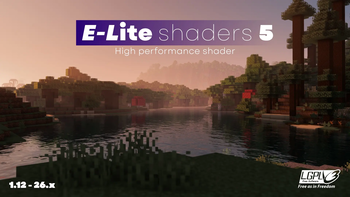
E-LITE shaders (MakeUp edit) is a semi realistic, shadows Minecraft shader for Iris, OptiFine, supporting Minecraft 1.12 to 26.3. It has been downloaded 1.8M times and has 392 followers. Last updated 2026-11-21.

| Downloads | 1.8M |
|---|---|
| Loader | Iris, OptiFine |
| Minecraft versions | 1.12 ~ 26.3 (54 versions) |
| Categories | semi realistic, shadows |
| PC load | 🪶 Light |
| Last updated | 2026-11-21 |
| License | LGPL-3.0-or-later |
📝 Author's description
A MakeUp - Ultra Fast shaders edit that is highly customizable, beautiful, and fast!
🛠 How to install
- Install Fabric with Sodium and Iris (or install OptiFine).
- Download the shader zip from Modrinth — don't unzip it.
- Put it in your
.minecraft/shaderpacksfolder. - In game: Options → Video Settings → Shader Packs, then pick it.
🖼 Screenshots



🔗 Links
❓ FAQ
Is E-LITE shaders (MakeUp edit) free?
Yes. E-LITE shaders (MakeUp edit) is free to download from Modrinth (license: LGPL-3.0-or-later).
Do I need to install E-LITE shaders (MakeUp edit) on the server?
Client-side only — just install it on your own PC.
Does E-LITE shaders (MakeUp edit) support Minecraft 26.3?
Yes, the latest supported version is Minecraft 26.3. Always download the file that matches your exact version and loader.
🧩 Similar shaders
Mode Radar only links to the official Modrinth page. Always download mods from official sites.